Crypto Copilot Scam Explained: Malicious Chrome Extension Steals SOL from Solana Traders.
Share
Key Takeaways
Crypto Copilot was a malicious Chrome extension that secretly added hidden SOL transfers to every Solana swap, stealing small amounts from users over time.
The scam exploited wallet UI trust, using multi-instruction transactions that looked like normal swaps but contained hidden transfers.
All affected users should act fast — uninstall the extension, revoke permissions, and move funds to a clean wallet.
This was not a Solana flaw but a reminder that browser extensions can be attack vectors; always use verified, open-source, or hardware wallets for DeFi trading.
A malicious Chrome extension marketed as a convenient Solana trading assistant, Crypto Copilot, was recently exposed for secretly inserting a tiny transfer into users’ Raydium swap transactions and routing that amount to an attacker-controlled wallet.
The trick relied on how Solana transactions can bundle multiple instructions into a single atomic signature and on wallet UIs that summarize those instructions as “one swap,” so users signed the whole bundle without noticing the extra transfer.
How The ‘Crypto Copilot’ Scam Works — Step-By-Step
Below is a clear walkthrough of the malicious flow so you can see exactly what happened and why ordinary confirmation dialogs didn’t raise alarms.
🚨 Malicious “Crypto Copilot” Chrome Extension Exposed : A harmful Chrome extension called Crypto Copilot has been caught letting users trade Solana directly from X while secretly skimming SOL from every swap.
First, the extension integrates into the browser and registers itself to intercept or build transactions when you ask to swap tokens on Solana DEXes such as Raydium. It appears to the user as a helpful UI that connects to popular wallets like Phantom or Solflare and offers one-click swaps or social-feed trading.
Next, when you click “swap,” the extension programmatically constructs a valid Raydium swap instruction (the same instructions the DEX expects). That makes the swap itself legitimate and leaves no immediate red flags in the swap logic.
Then the extension appends an extra instruction to the same transaction: a small SystemProgram::Transfer that sends a tiny amount of SOL to the attacker’s wallet. Because Solana allows multiple instructions in a single transaction, the swap + hidden transfer execute atomically if you sign the transaction.
Wallets and popups typically show a summarized confirmation labeled as a single “swap” or a short human-readable line; they often do not reveal every low-level instruction in a way that’s obvious to nontechnical users. That UI simplification is what lets the hidden transfer slip by unnoticed — users approve what looks like a normal swap and thereby also approve the covert transfer.
The skim size was calibrated to avoid suspicion: researchers report either a flat minimum skim of about 0.0013 SOL per swap or roughly 0.05% of the swap amount (whichever was larger), so individual losses per trade felt negligible while cumulative takings could be substantial.
Copilot Solana Scam Timeline: How the Malicious Chrome Extension Stole from Traders Undetected for Months
Below is an approximate timeline assembled from public reporting and researcher disclosures.
June 2024 (approx.) — Extension appears:Reports and some on-chain traces suggest Crypto Copilot first became available around mid-2024, marketed as a lightweight trading helper that made swaps directly from social feeds and simplified DeFi UX.
Mid-2024 → 2025 — Quiet operation: The extension remained live and functioning for months while quietly injecting the extra transfer into swaps. Because the per-swap amount was small, many users either didn’t notice or chalked small differences up to slippage or normal fees.
Late November 2025 — Researcher discovery and public alerts: Security researchers (notably Socket’s threat team) analyzed transaction patterns and published a technical write-up exposing the injection technique. Major crypto and cybersecurity outlets ran stories the same week, escalating warnings to the community and prompting takedown requests to the Chrome Web Store.
Immediate aftermath: Exchanges, security blogs, and community moderators began posting guidance on removing the extension, auditing swap histories, revoking dApp permissions, and migrating funds to clean wallets.
How Researchers Exposed the Crypto Copilot Solana Scam
Researchers combined code inspection, browser-extension behavior analysis and on-chain forensics to prove the scheme.
They inspected the extension package (when it could be downloaded) and found code paths that modify or construct transactions before signing. The malicious logic was often obfuscated, designed to hide the extra transfer instruction in production builds.
On-chain investigators looked for swap transaction signatures that contained the expected Raydium/jupiter instructions plus an additional SystemProgram::Transfer to an unfamiliar address occurring inside the same signed transaction. Pattern-matching across many swaps revealed repeated small transfers to the same attacker wallet(s).
Behavioral telemetry (from researchers simulating swaps) showed wallet confirmation screens that summarized the multi-instruction transaction in a single line, confirming how the UI hides the extra step.
Who Was Impacted by the Crypto Copilot Solana Scam
Below are the groups most likely impacted and how to assess whether you might be a victim.
Anyone who installed Crypto Copilot and used it to execute swaps on Solana during the window of operation, even a single swap could have carried a hidden transfer.
Active DeFi traders on Raydium (and possibly other DEX UIs) who favored convenience-first browser tools. Repeated small trades multiplied losses.
Users of wallets with simplified confirmations (Phantom, Solflare, etc.) were especially vulnerable because the confirmations didn’t show the low-level instruction list in a way most users would notice.
Community Complaints — What Real Users Reported
Across social platforms and forum threads, several consistent complaints emerged from traders who encountered unexplained SOL shortfalls after using the extension.
Some users posted that they observed their SOL balance drop by a small amount after what they believed were standard swaps, and only after inspecting detailed transaction logs did they find an extra transfer instruction.
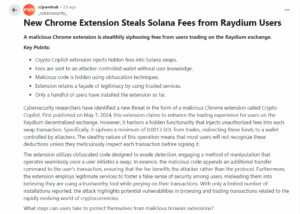
A malicious Chrome extension is stealthily siphoning fees from users trading on the Raydium exchange. | Source: Reddit
Others complained about the extension’s apparent legitimacy, it connected smoothly with known wallets, displayed real market data, and had a polished UI, which made the betrayal feel worse.
A number of posts asked whether the extension had stolen seed phrases; researchers clarified the primary technique was transaction injection (not direct seed exfiltration), but users were advised to treat any extension exposure as a full compromise and migrate seeds.
Indicators Of Compromise (IOCs) — How To Spot A Hidden Transfer
Before you panic, here’s what to look for in your swap signatures:
Check the signed transaction to see if it contains multiple instructions: a Raydium or DEX swap instruction plus a SystemProgram::Transfer sending a small SOL amount to an unfamiliar address.
Look for recurrent small transfers (0.0013 SOL or 0.05%) sent to the same wallet across many swap signatures — that pattern strongly indicates automated skimming.
Remove the extension immediately from every browser you used for crypto.
Create a brand-new wallet on a clean device (or use a hardware wallet); move all funds to it and stop using the old seed phrase. Treat the old wallet as compromised.
Revoke dApp permissions and approvals associated with the compromised wallet (token allowances and connected apps).
Audit past swaps using a Solana explorer; open the transaction’s instruction list and look for unexpected transfers in the same signature. If you prefer, paste a few swap signatures and I’ll analyze them for hidden instructions.
Harden future trading; prefer hardware wallets for signing trades, avoid third-party browser trading add-ons, and always inspect the raw instruction list when the wallet UI allows it.
This attack exploited a chain of trust vulnerabilities: users trust browser extensions, wallets trust user signatures, and wallet UIs prioritize UX over showing every low-level instruction.
The technique is not a protocol bug in Solana, it’s an attack on the human + client layer that could be adapted to other chains with multi-instruction transactions and simplified confirmations.
Disclaimer:
The information provided in this article is for informational purposes only. It is not intended to be, nor should it be construed as, financial advice. We do not make any warranties regarding the completeness, reliability, or accuracy of this information. All investments involve risk, and past performance does not guarantee future results. We recommend consulting a financial advisor before making any investment decisions.
Onkar Singh has three years of experience as a digital finance content creator. Throughout his career, he has collaborated with various DeFi projects and crypto media outlets. In his leisure time, he enjoys fitness activities at the gym and watching movies across different genres. Balancing his professional and personal interests, Onkar continues to contribute to the digital finance landscape while pursuing his hobbies.


 Easy
Easy